Software
·
vi-Sim
vi-Sim
Desktop engine
Process simulation and modelling
A desktop engine for modelling complex industrial processes and value chains. Build process network models covering a product’s entire lifecycle — extraction or cultivation, production, distribution, use, and disposal or recycling — and read resource flows and environmental impact at every stage.
A process modeling and simulation tool that models entire value chains end-to-end via Material Flow Networks, with mass/energy balance simulation, KPIs, and LCA analysis.
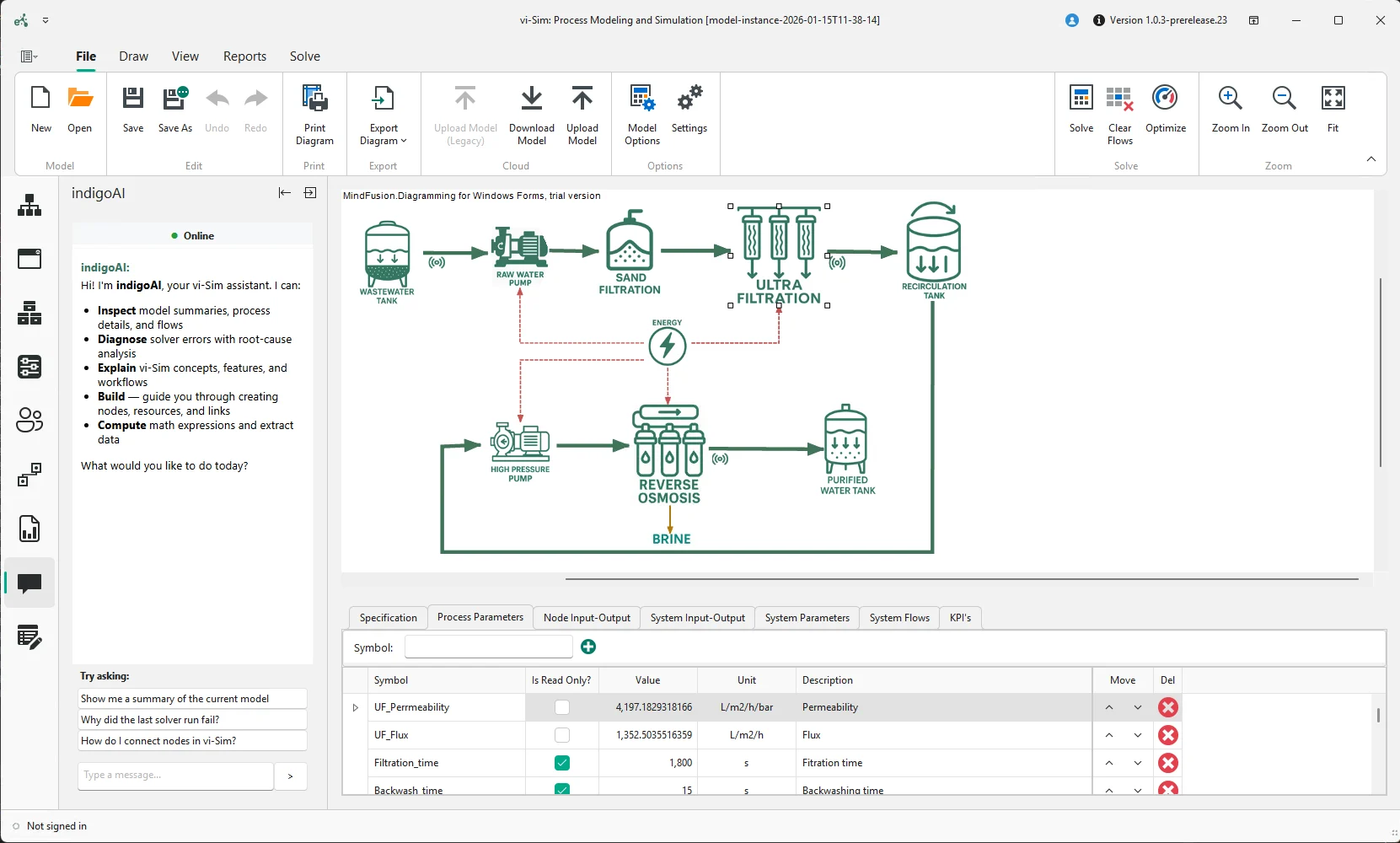
Who it is for
Built for the people who own the process model
Process engineers
“What happens to cost, energy, and yield if we change this configuration?”
Build the network visually, change a parameter, and re-solve without waiting on a data team.
LCA practitioners
“Can I derive the inventory from the process instead of estimating it?”
Flows come from the model, so impact results move with operating conditions. Method notes stay attached.
Research consortia
“Will this model survive a reviewer reading the method?”
Characterisation factors, scripts, and scenario definitions are all inspectable inside the file.
Key capabilities
A modelling environment that does not require you to write code
01
Key performance indicators
Define custom KPIs computed from any metric in the system — throughput, energy consumption, yield — then visualise them per network to judge efficiency and sustainability.
02
Custom scripts
VB.NET scripting for calculations beyond the standard function set, so a proprietary algorithm or in-house method lives inside the simulation rather than beside it.
03
indigo AI assistant
Explains complex model behaviour, suggests fixes for simulation errors, and walks you through constructing a value chain step by step.
04
LCA, SBSC, and optimisation modules
Add life-cycle impact assessment, scorecard-based comparison of network alternatives, and automated search for the best configuration under your constraints.
In the product
The modelling canvas, the KPI panel, and the module results
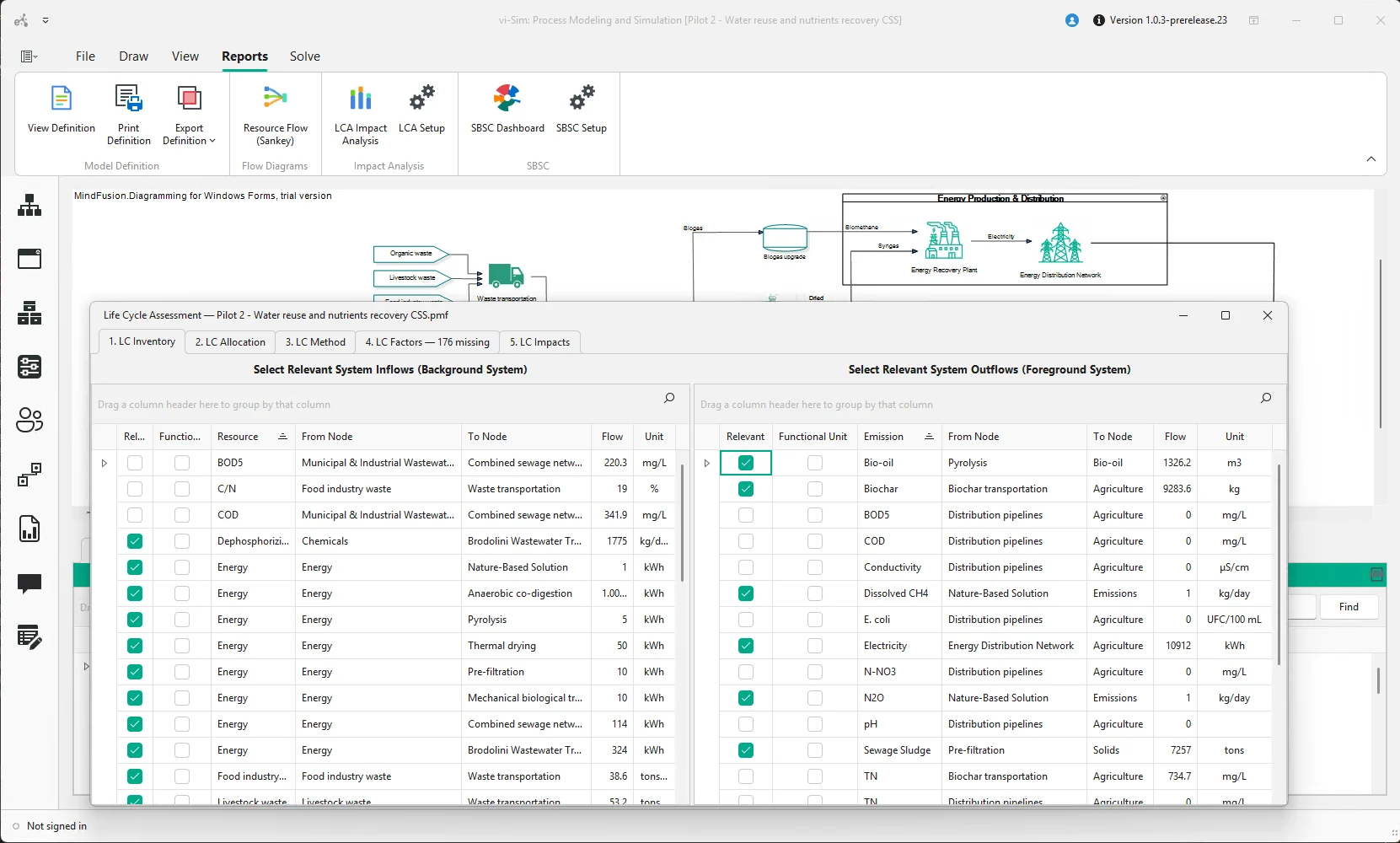
Select one or more functional units, allocate relevant flows to them, and calculate midpoint and endpoint environmental impacts.
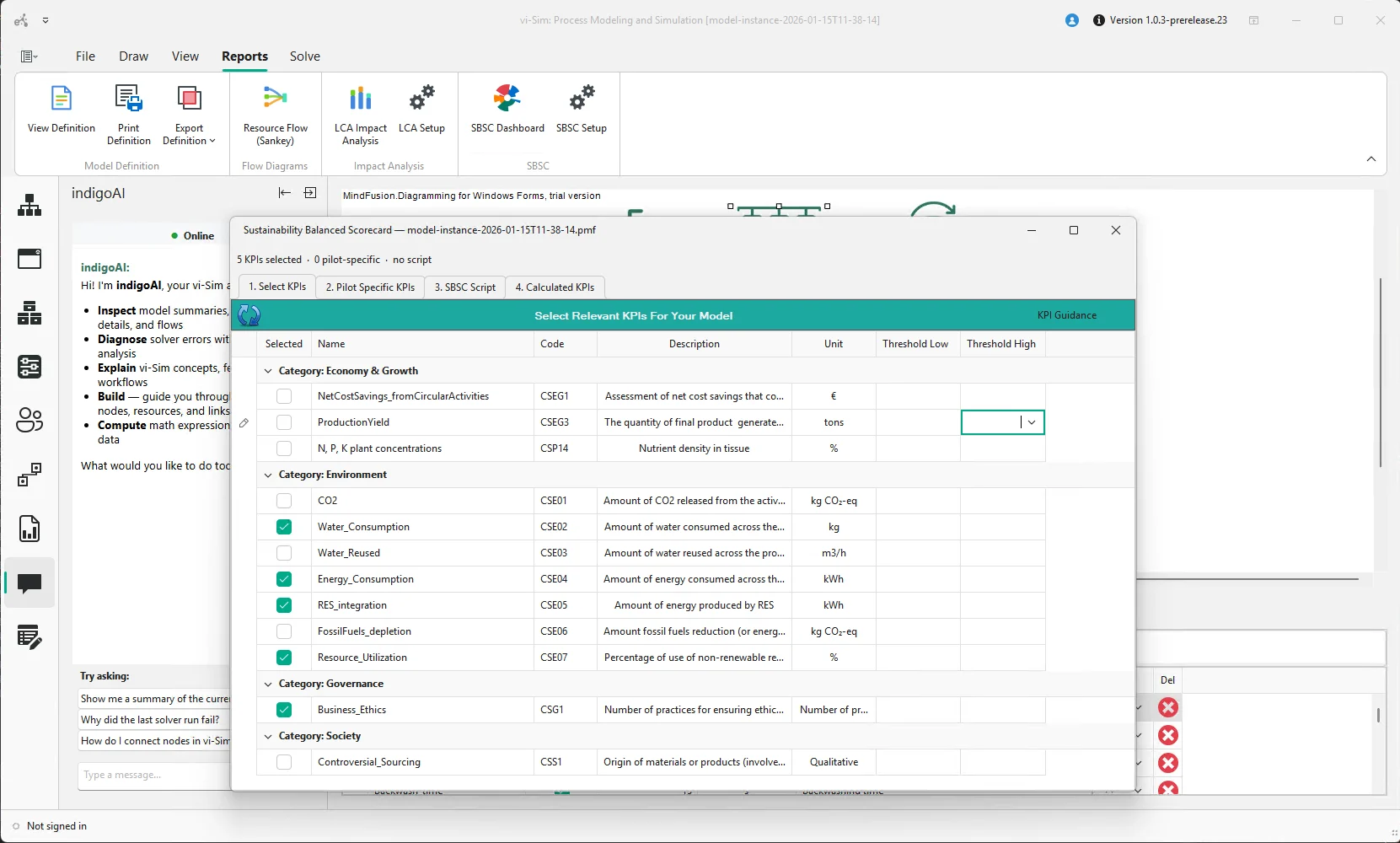
Select KPIs from the built-in database or define your own, set thresholds, and write the scorecard script to consolidate results into a single sustainability view.
How it works
From an empty canvas to a defensible number
1
Draw the network
Place processes, junctions, and links from the library. The graph is the model — there is no separate configuration file to maintain.
2
Parameterise the flows
Set material, energy, and pollutant flows per process, with scripted relationships where a standard function is not enough.
3
Solve and inspect
Run the simulation, then read KPIs, LCA impact categories, and SBSC scores against the configuration that produced them.
4
Compare alternatives
Duplicate the network, change what you are evaluating, and use the SBSC or optimisation module to rank the options.
5
Publish onward
Push the finished model to vi-Cloud as a Digital Twin, or expose its KPIs to vi-Trace as passport evidence.
vi-Sim runs on Windows and reads and writes ordinary files, so it fits an existing engineering toolchain without a platform migration.
Data in
CSV and Excel import for meter, batch, and inventory data
Characterisation factor libraries for impact assessment
VB.NET scripts calling in-house calculation methods
Data out
Model publish to vi-Cloud as a Digital Twin
KPI and SBSC export to vi-Trace for product passports
Report and dataset export for deliverables and audits
Standards and methods
Life-cycle assessment following ISO 14040 and 14044
GHG Protocol scope accounting for energy flows
Sustainability Balanced Scorecard method from PLOOTO
Related tools